
UK Casinos That Accept Google Pay: Complete Guide to Deposits, Withdrawals & Limits 2026
 Available in GB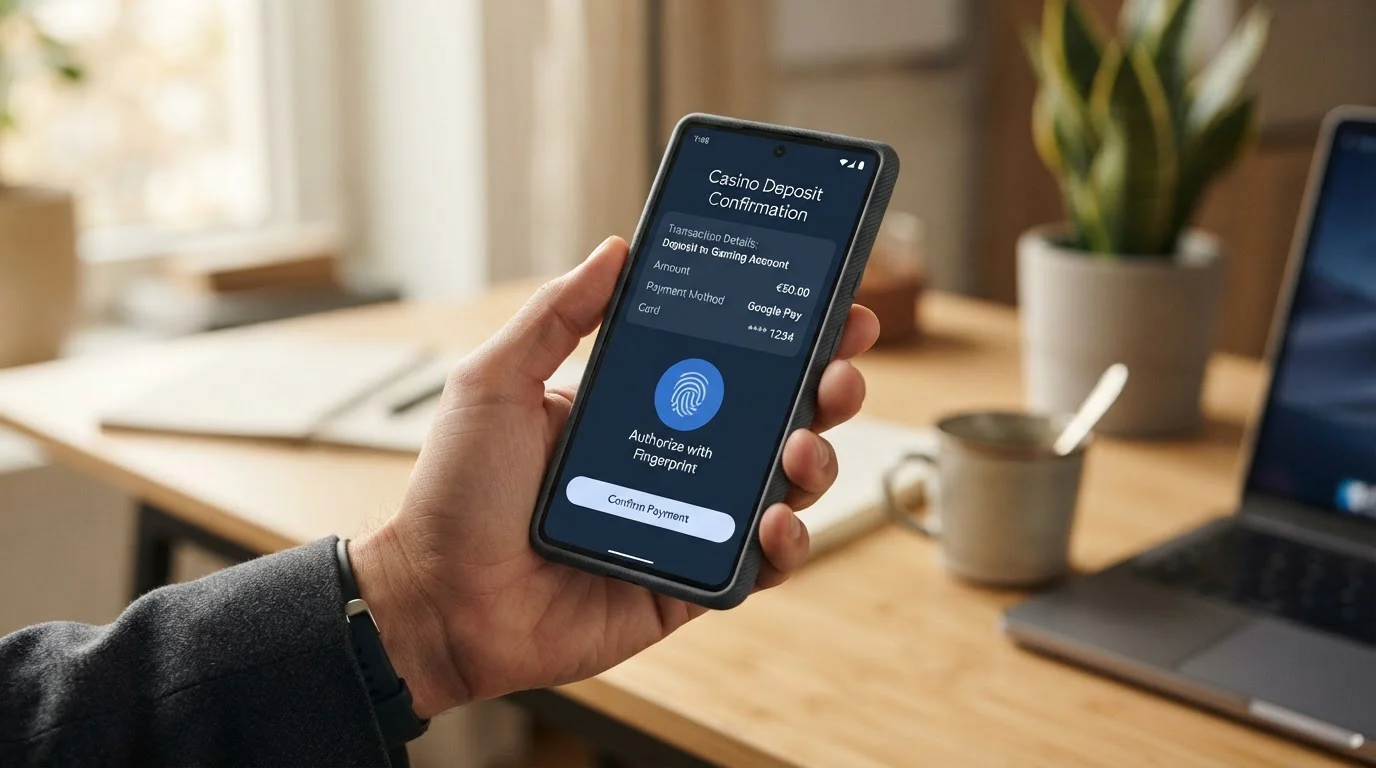
Google Pay sits in millions of Android wallets across Britain, a fingerprint-gated shortcut past manual card entry. Dozens of UKGC-licensed casinos now accept it for deposits. The appeal is obvious: tap, authenticate, done. No typing sixteen digits while your commute jostles the screen.
But the method has a catch that casino marketers bury in footnotes. You can send money in through Google Pay. You cannot take winnings back out through it. The wallet acts as a one-way conduit, not a payment loop. Your cashout lands in your bank account via slower methods—bank transfer, PayPal if the casino supports it, or a direct return to the debit card Google Pay merely proxies. The “instant” selling point applies only to deposits. Withdrawals revert to ordinary banking speeds.
This article maps where Google Pay actually works among UK operators in 2026, which limits apply, why the withdrawal asymmetry exists at the technical level, and what alternatives fill the gap. Every casino listed holds an active UK Gambling Commission remote licence, and processing times and fees are taken from the operators’ own published terms.
Best UK Casinos That Accept Google Pay in 2026
The UKGC public register lists every business holding an active remote casino operating licence. A significant subset of those operators accepts Google Pay for deposits. The table below compares seven operators that list Google Pay in their cashiers and hold a current licence.
| Operator | UKGC Licence | Minimum Deposit | Withdrawal Speed | Key Feature |
|---|---|---|---|---|
| bet365 | 55149 | £5 | E-wallet within 24h | 500 bonus spins, zero wagering on winnings |
| NetBet | 39170 | £10 | PayPal 0–24h, card 5 days | Zero-wagering free spins |
| Ladbrokes | 54743 | £10 | PayPal/Visa Fast Funds 4h | 4,300+ games, Entain-backed |
| LeoVegas | Check register | £10 | PayPal within 24h | Mobile-first UX, MGM ownership |
| PlayUK | Check register | £10 | 48 hours stated | Low 10x wagering, UK-focused |
| talkSPORT BET | Check register | Check the cashier | Not published | Sports media brand crossover |
| LuckyMate | Check register | Check the cashier | Not published | Newer UKGC brand |
Rows are ordered by how much operational detail each operator publishes. The operators further down publish less about limits and payout times, so check their cashier and terms pages directly before depositing.
Which UK casinos accept Google Pay deposits?
All seven operators in this section accept Google Pay deposits in 2026, with minimums of £5 to £10. Each requires the name on your Google Pay-linked debit card to match your casino account exactly. Credit cards cannot back these payments; the April 2020 credit card ban applies whatever the payment interface.
bet365
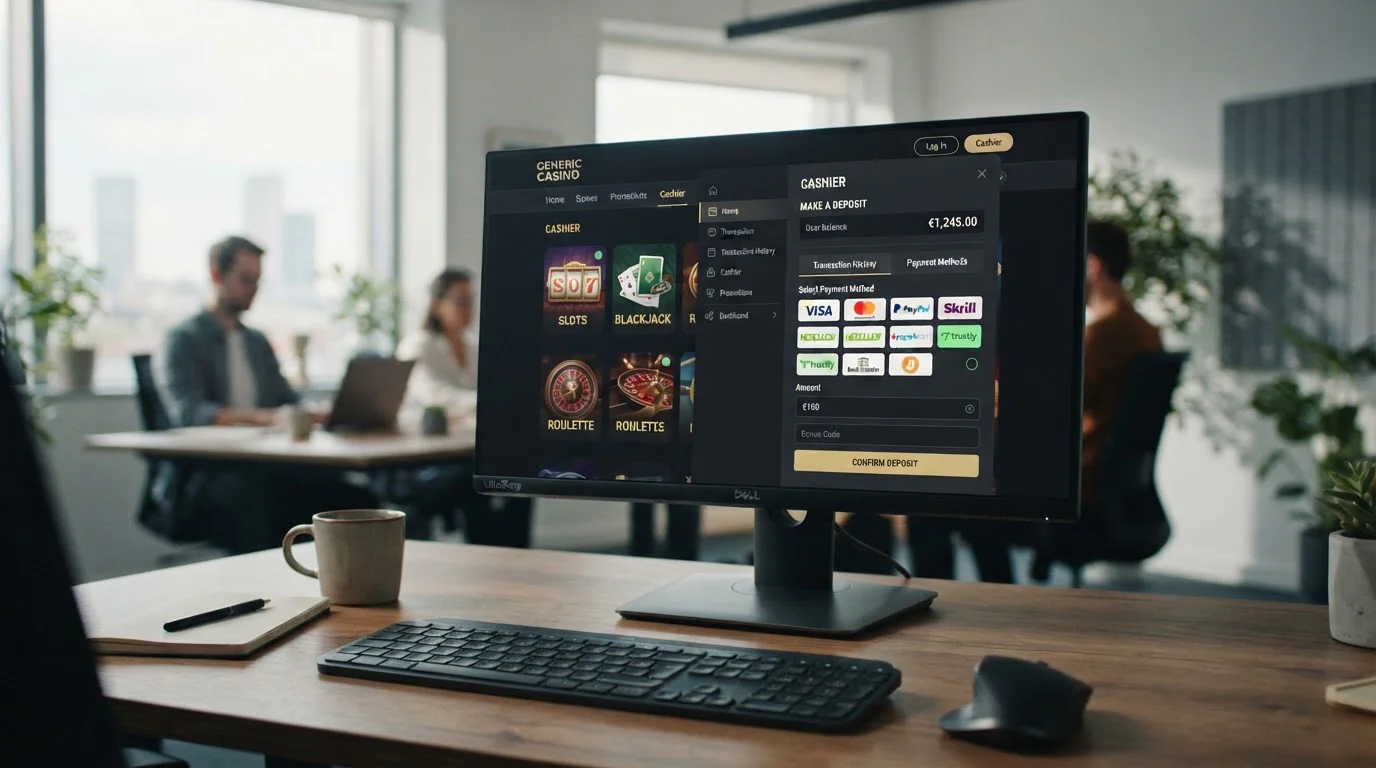
Hillside (UK Gaming) ENC operates the bet365 casino under UKGC licence 55149, while the sports betting arm runs under a separate Hillside licence (check the number on the public register). Both sit within the Coates family’s privately owned bet365 group, one of the world’s largest online gambling operations by revenue and active account count. The minimum deposit via Google Pay is £5, the lowest threshold in this comparison. Deposits clear instantly once your device authenticates the payment.
The welcome offer runs to 500 bonus spins, revealed across ten separate days after a £10 lifetime deposit. Winnings from those spins carry zero wagering requirements—cash, not bonus funds locked behind playthrough. That zero-wagering structure is rare among UKGC operators in 2026, most of whom apply the regulatory maximum of 10x. Withdrawals route through e-wallets within 24 hours on verified accounts; bank transfers and direct card returns take longer. The platform processes millions of UK transactions monthly. Scale brings infrastructure depth but also the operational coldness of a multinational.
NetBet
NetBet Casino holds UKGC licence 39170 and concurrent Malta Gaming Authority licensing. The site went live under UK regulation in 2017. Like every UKGC-licensed casino, it does not accept cryptocurrency deposits from UK customers, but it supports a wider range of conventional cashier methods than many UK peers.
The game library spans 3,000 titles, with 1,800+ slots and 120 live dealer tables. The welcome bonus is structured as 100 free spins, with winnings of up to £100 paid without wagering. E-wallet cashouts (PayPal, Skrill) process in 0 to 24 hours. Debit card and bank transfer withdrawals stretch to five working days. Verification runs automatically and typically completes in under five minutes, though edge cases requiring manual document review can extend that. Google Pay deposits here follow the same instant-clearing pattern as other digital wallets, but the lack of Google Pay-specific limits in the official terms suggests checking the cashier at account level before committing.
Ladbrokes
LC International Limited trades as Ladbrokes under UKGC licence 54743. The parent entity is Entain plc, the publicly traded group that also operates Coral, Gala, and Foxy Bingo. Ladbrokes carries decades of UK high-street credibility, a legacy that smoothed its online transition when physical betting shops faced regulatory pressure. The site combines casino and sportsbook in a single account, a structure many punters prefer to juggling separate registrations.
The game count sits at 4,300 titles sourced from 60+ providers, including Pragmatic Play, Play’n GO, Blueprint, Red Tiger, Playtech, and Evolution for live dealer. The welcome package offers 100 free spins and 300 LadBucks (site currency) on a £10 qualifying bet, with wagering capped at 10x under the January 2026 rules. PayPal and Visa Fast Funds withdrawals land in four hours on verified accounts. Standard bank transfers revert to 1–3 working days. Google Pay deposits clear instantly; the £10 minimum aligns with the platform’s general threshold across payment methods. Entain’s infrastructure means robust uptime, though the corporate scale can make customer service feel impersonal compared to smaller operators.
LeoVegas
LeoVegas operates under a UKGC licence held by LeoVegas Gaming plc. MGM Resorts International acquired the Swedish-founded brand in 2022, merging mobile-casino expertise with Las Vegas land-based heritage. The “King of Mobile Casino” tagline reflects the platform’s design priority: mobile-first UX, then desktop as a secondary interface.
The minimum deposit is £10 across all payment methods, including Visa, Mastercard, Apple Pay, PayPal, Revolut, and Google Pay. The welcome offer consists of 50 wager-free spins on Big Bass Splash, awarded after a £10 deposit and 1x wagering on eligible games within seven days. The spins expire in three days. PayPal withdrawals process within 24 hours once identity verification clears. Debit card and bank transfer cashouts take longer, though exact timelines depend on issuing-bank processing. The mobile experience is genuinely differentiated—lobby navigation, game filtering, and cashier flow are optimised for thumb-based interaction, not shrunk-down desktop layouts.
PlayUK
PlayUK holds a UKGC licence and targets budget-conscious UK players specifically. The minimum deposit is £10 (check the cashier, as minimums can change). The game library spans 1,500+ titles. The welcome bonus matches 100% up to £50 on a £10 first deposit, with 10x wagering—the current regulatory maximum, and far below the 35x that was typical before the 2026 rules.
Withdrawals carry a stated 48-hour processing time, though actual delivery depends on the method chosen and your bank’s clearing schedule. The site’s branding emphasises UK-specific appeal: GBP-native pricing, no currency conversion, and a regulatory approach that fronts GAMSTOP and deposit-limit tools rather than hiding them in footer links. The trade-off for budget positioning is a narrower game selection than the multi-thousand-title giants and less lavish welcome offers. PlayUK suits players who prioritise regulatory transparency and lower financial thresholds over maximum game variety.
talkSPORT BET Casino
talkSPORT BET Casino leverages the talkSPORT radio brand, one of the UK’s largest sports broadcasting networks. It operates under a UKGC licence. The brand’s sports-betting heritage creates crossover appeal for punters who move between casino games and match wagers within a single session.
The operator publishes less detail on minimum deposits, withdrawal speeds, game counts and bonus structures than bet365 or Ladbrokes, reflecting a focus on live betting rather than the casino. Players considering talkSPORT BET should verify operational details via the cashier and terms pages directly before depositing.
LuckyMate Casino
LuckyMate Casino is a newer UKGC-licensed brand that lists Google Pay in its cashier. It publishes less operational detail—minimum deposit, withdrawal times, game library size—than the larger operators above, which is typical of a smaller-scale operation.
Publishing less detail does not imply illegitimacy—many UKGC-licensed operators maintain low public profiles while adhering fully to regulatory requirements. But it does mean prospective players bear the burden of due diligence: check the licence on the UKGC public register, verify the cashier supports Google Pay at account creation, and confirm withdrawal methods and processing times in writing before committing funds. Transparency gaps are not red flags in themselves, but they shift risk assessment onto the player.
How Google Pay Works for Casino Deposits
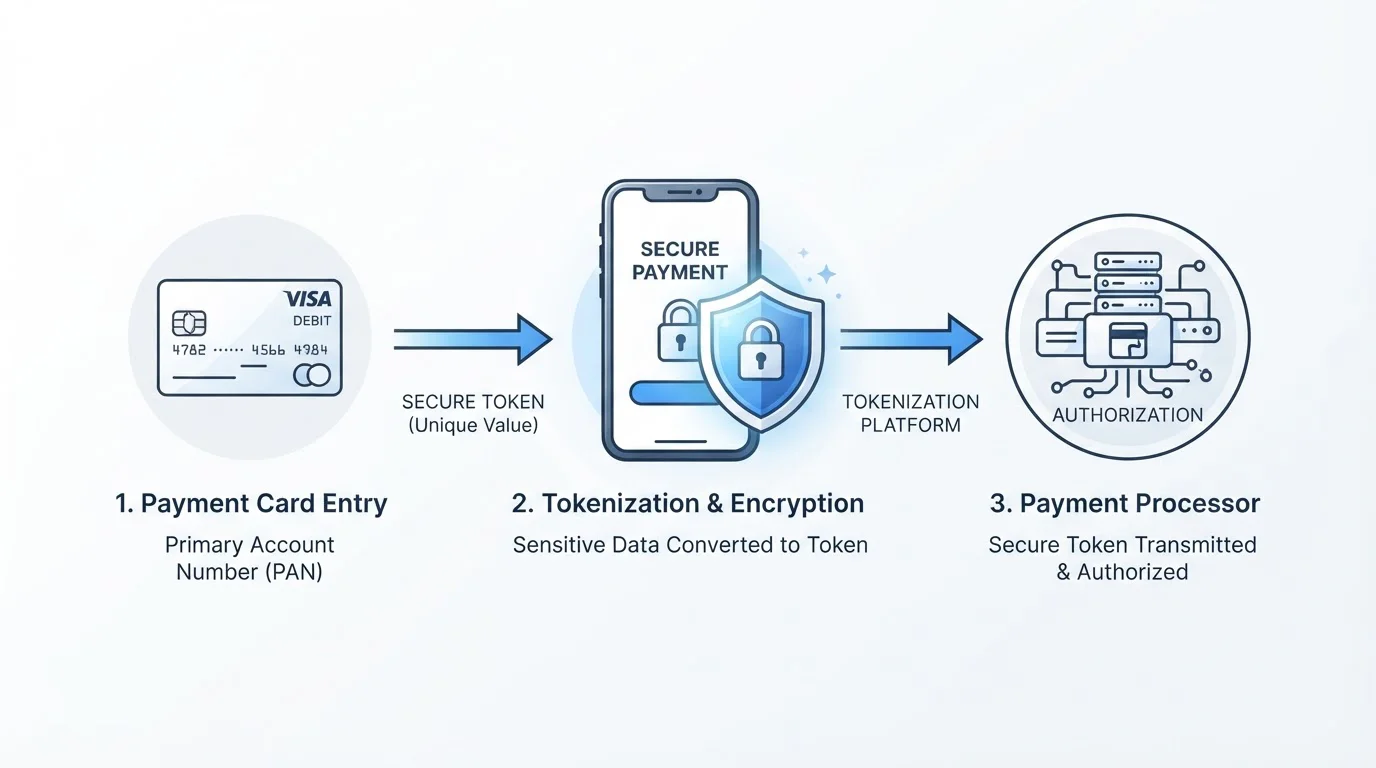
Google Pay is not a wallet in the traditional sense. It does not hold your money. It stores a tokenised proxy of your debit card and generates one-time credentials when you authorise a payment. The casino receives a temporary device account number (DPAN) and a cryptogram valid only for that transaction. Your actual card number stays with your issuing bank and Google’s token service provider. The merchant never sees it.
This tokenisation architecture is why Google Pay deposits are both secure and limited. Security comes from the substitution: even if a casino’s database leaks, attackers capture only single-use tokens, not your card details. The limitation is structural: because Google Pay proxies to a card rather than holding a balance, there is no “Google Pay account” to withdraw funds into. Winnings must route to the underlying bank account or an alternative e-wallet.
Setting Up Google Pay for Casino Payments
First-time setup takes a few minutes. Open Google Wallet on your Android device or Chrome browser. Tap “Add card” and either scan your debit card with the camera or enter details manually. Google requests your card number, expiry date, CVV, and billing address. The issuing bank may send a one-time SMS code or prompt an in-app verification to confirm you control the card.
Once verified, the card is tokenised. Google generates a device-specific account number that substitutes for your real card number in transactions. This DPAN stays on your device. If you add the same card to a second device, a different DPAN is issued—one card, multiple tokens, each device-bound. Lose your phone and the token becomes useless to anyone who finds it without your biometric unlock or PIN.
After tokenisation completes, Google Pay is ready. The process is one-time per card per device. Subsequent casino deposits require only biometric or PIN authentication, no re-entry of card details.
Making a Deposit Step-by-Step
Navigate to your chosen casino’s cashier and select Google Pay from the deposit methods list. Enter the amount you wish to deposit—typically constrained by the casino’s minimum (£5 to £10) and maximum (often £5,000 to £10,000 per transaction, though limits vary by operator and your account status). Confirm the amount.
The casino redirects you to Google Pay’s authentication interface. On mobile, this is a full-screen prompt. On desktop Chrome, it appears as a modal overlay. You see the transaction amount, the merchant name, and the last four digits of the card backing the payment. Authenticate via fingerprint, face unlock, or PIN. Android devices with biometric hardware process this in under two seconds; PIN entry adds a few seconds more.
Once authenticated, Google Pay sends the DPAN and a freshly generated cryptogram to the casino’s payment processor. The processor routes the authorisation request to your card’s network (Visa or Mastercard), which validates the token and passes the request to your bank to check your balance. If approved, the charge posts to your card and the casino credits your balance. The entire flow—from clicking “Deposit” to seeing updated funds—typically completes in 5 to 15 seconds, though network congestion or processor delays can stretch it to 30 seconds.
No fees apply on Google Pay’s side. Your issuing bank may charge foreign transaction fees if the casino processes payments through an overseas entity, but this is bank-policy-dependent, not a Google Pay surcharge. Most UKGC-licensed operators process GBP transactions domestically, avoiding conversion fees for UK players.
The Tokenisation Security Process
Tokenisation replaces your 16-digit card number with a device-specific substitute. When you add a card to Google Wallet, the app contacts a Token Service Provider (TSP)—often Visa Token Service or Mastercard Digital Enablement Service, depending on your card network. The TSP generates a unique Device Primary Account Number (DPAN) and associates it with your Funding Primary Account Number (FPAN, your real card number) in a secure vault.
The DPAN looks like a card number—sixteen digits, network prefix, Luhn-valid checksum—but it routes only through the token vault. It cannot be used for card-not-present fraud because the vault requires a cryptogram to authorise any transaction. That cryptogram is generated on-device each time you authenticate a payment. It combines the DPAN, transaction amount, merchant identifier, a timestamp, and a limited-use key held on your phone. Google Pay relies on host card emulation rather than a hardware secure element: these keys are protected by Android’s keystore and replenished from Google’s servers in small batches.
When you tap to pay at a casino, your device sends the DPAN and cryptogram to the merchant’s processor. The processor forwards them to the token vault. The vault decrypts the cryptogram using the device key on file, validates the transaction parameters match what the cryptogram signed, and—if everything checks—translates the DPAN back to your FPAN and submits the charge to your issuing bank. The bank sees a normal card transaction. The merchant sees only the token.
This multi-layer substitution is why even a full database breach at the casino yields nothing useful. The DPAN in their logs is device-bound. The cryptogram in their logs is single-use and already consumed. Neither can authorise a new transaction. Your actual card number never transited the casino’s servers, so it cannot leak from them.
Biometric authentication adds a final gate. Your fingerprint, face or PIN releases the keys needed to sign a payment. Without that unlock, the device cannot generate a valid cryptogram. Someone who steals your phone but lacks your biometric data or PIN cannot authorise Google Pay transactions, and you can remotely wipe the tokens through Google’s Find My Device.
How long does a Google Pay casino deposit take to process?
Google Pay deposits at UK casinos usually clear in 5 to 30 seconds. No batch settlement or manual review delays the credit: once your device authenticates and the token vault authorises the charge, your balance updates. Longer delays usually point to network congestion, a processor outage or a declined transaction.
Is Google Pay safe to use for online casino deposits?
Google Pay is among the safest deposit methods at UK casinos. Tokenisation means the casino never receives your real card number, each transaction uses a single-use cryptogram, and biometric or PIN authentication blocks use of a stolen phone. That extra layer protects you even if a casino’s own security fails.
Why You Can’t Withdraw to Google Pay (And What to Use Instead)
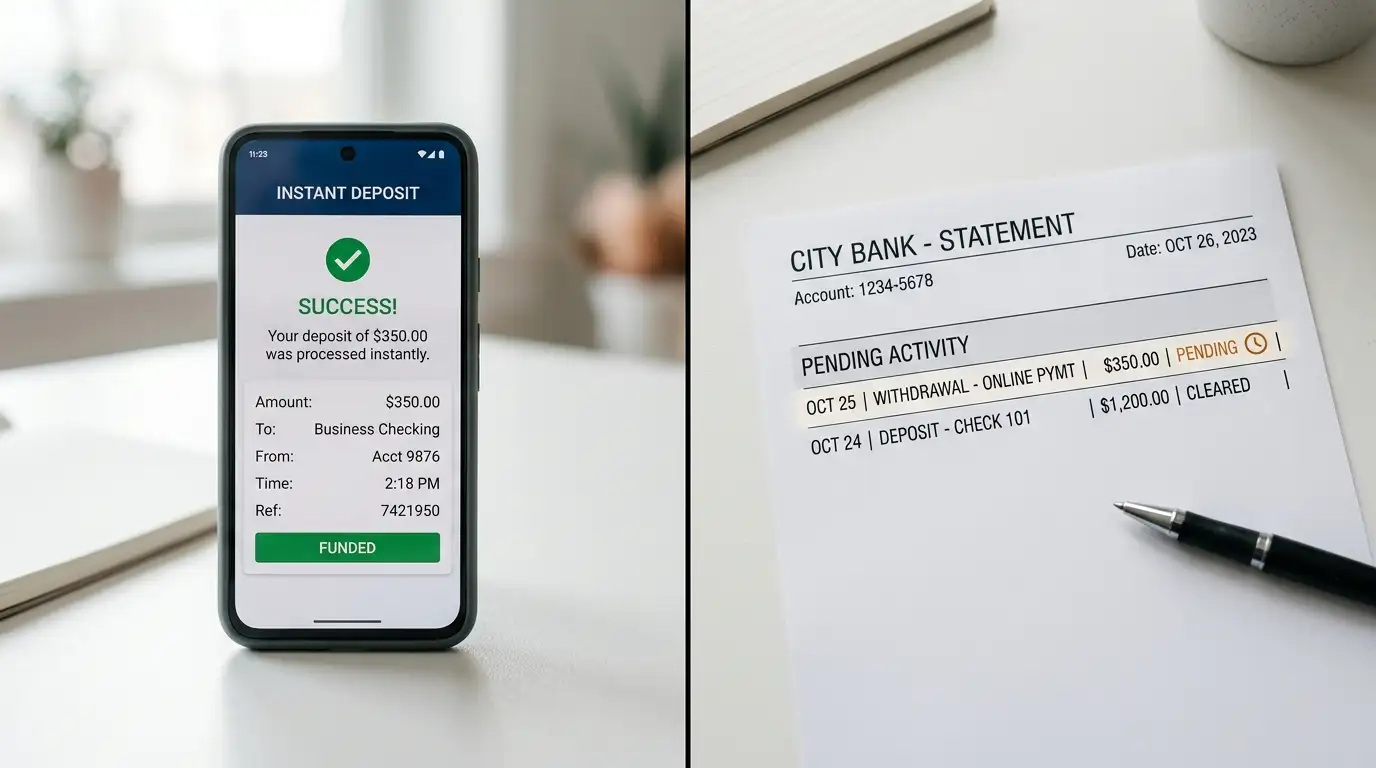
The withdrawal limitation is not a policy choice by casinos or a regulatory restriction. It is a structural consequence of how Google Pay works. The service does not hold your funds. It does not operate a balance you can “top up” or “cash out.” It is a payment interface that proxies to your debit card. When you authorise a casino deposit, the charge posts to your card. The funds move from your bank account to the casino’s merchant account. Google Pay facilitated the authorisation, but no money passed through Google’s systems.
Withdrawals require a destination that can receive and hold funds. Your debit card is that destination when the transaction reverses—a refund or a “push” payment via Visa Direct or Mastercard Send. But Google Pay itself is not a destination. It has no account number to send money to, no balance to credit. Casinos cannot “send” winnings to something that does not accept incoming transfers. The technical rail simply does not exist.
This is not unique to gambling. Google Pay works one-way for most merchant transactions. You can buy a coffee with it, but the café cannot pay you via Google Pay. The architecture is checkout-focused, not peer-to-peer or bidirectional.
The Technical Reason Withdrawals Don’t Work
When a casino processes a withdrawal, the payment system needs an account identifier to credit. For PayPal, that is your PayPal email or account ID. For bank transfer, it is your sort code and account number. For a direct card return, it is your card’s 16-digit PAN. Google Pay provides none of these. The DPAN it exposes to merchants is a token valid only for outgoing payments (merchant pulls funds). It is not linked to an account that can receive incoming credits.
The token vault that translates DPANs back to FPANs operates in one direction for security reasons. It allows merchants to charge your card by validating tokenised requests. It does not allow merchants to initiate credits to the token, because that would require exposing reverse-lookup capability—a vector for token-to-card mapping attacks. The asymmetry is by design.
Casinos can, however, push funds back to the underlying card that backed your Google Pay deposit. If you deposited via Google Pay and the linked card was a Visa debit, the casino can initiate a Visa Direct transfer to that card’s PAN. Your bank receives the credit and it appears as a transaction on your card statement, typically within 1 to 3 working days. This is not “withdrawing to Google Pay”; it is withdrawing to the card Google Pay tokenised. Google Pay played no role in the return leg.
Alternative Withdrawal Methods Compared
Since Google Pay cannot receive withdrawals, you need a bidirectional method. The table below compares the four most common alternatives at UK casinos in 2026.
| Method | Speed | Typical Fees | Pros | Cons |
|---|---|---|---|---|
| PayPal | 0–24 hours | Free at most casinos | Fast, widely supported, bidirectional | Requires separate PayPal account |
| Bank Transfer | 1–3 working days | Free | No intermediary, direct to your account | Slowest option |
| Direct Card Return | 1–3 working days | Free | Automatic if you deposited by card | Speed depends on issuing bank |
| Skrill | 0–24 hours | Free at some casinos, £5–£10 at others | Fast, holds balance between sessions | Less common than PayPal among UK operators |
PayPal is the fastest and most casino-friendly alternative. Most UKGC-licensed operators support it, and withdrawals process within 24 hours once your account passes verification. The trade-off is needing a PayPal account and linking a funding source to it, adding a layer of setup. If you already use PayPal for other purposes, this is the smoothest path.
Bank transfer is the slowest but most direct. The casino sends funds to your sort code and account number. No intermediary holds your money. Processing takes 1 to 3 working days depending on the operator’s banking partner and your own bank’s clearing schedule. Some players prefer this for large withdrawals, accepting the delay in exchange for eliminating third-party accounts.
Direct card return works if you deposited via debit card (or Google Pay, which proxies to a debit card). The casino initiates a Visa Direct or Mastercard Send payment to your card. It appears as a credit on your card statement within 1 to 3 working days. This method is automatic at many UK casinos—if you deposited by card, they default to card return for withdrawals unless you request otherwise. The speed depends on your card issuer’s processing; some UK banks credit Visa Direct payments on the same day, others take the full three days.
Skrill functions like PayPal: an e-wallet that holds a balance and processes instant transfers. Fewer UK casinos support it than PayPal, but where available, withdrawal times match PayPal’s 0–24 hour range. Some operators charge £5 to £10 withdrawal fees for Skrill; others waive fees. The Skrill account itself is free to open, but currency conversion fees apply if you hold a balance in a non-GBP currency.
What should I do if my Google Pay casino deposit is declined?
Confirm the linked card is debit, not credit, and that your Google Pay billing address matches your bank’s records. Check your balance and any bank spending limit, then remove and re-add the card to refresh the token. If it still fails, contact casino support with the time of the attempt.
Google Pay vs Other Casino Payment Methods
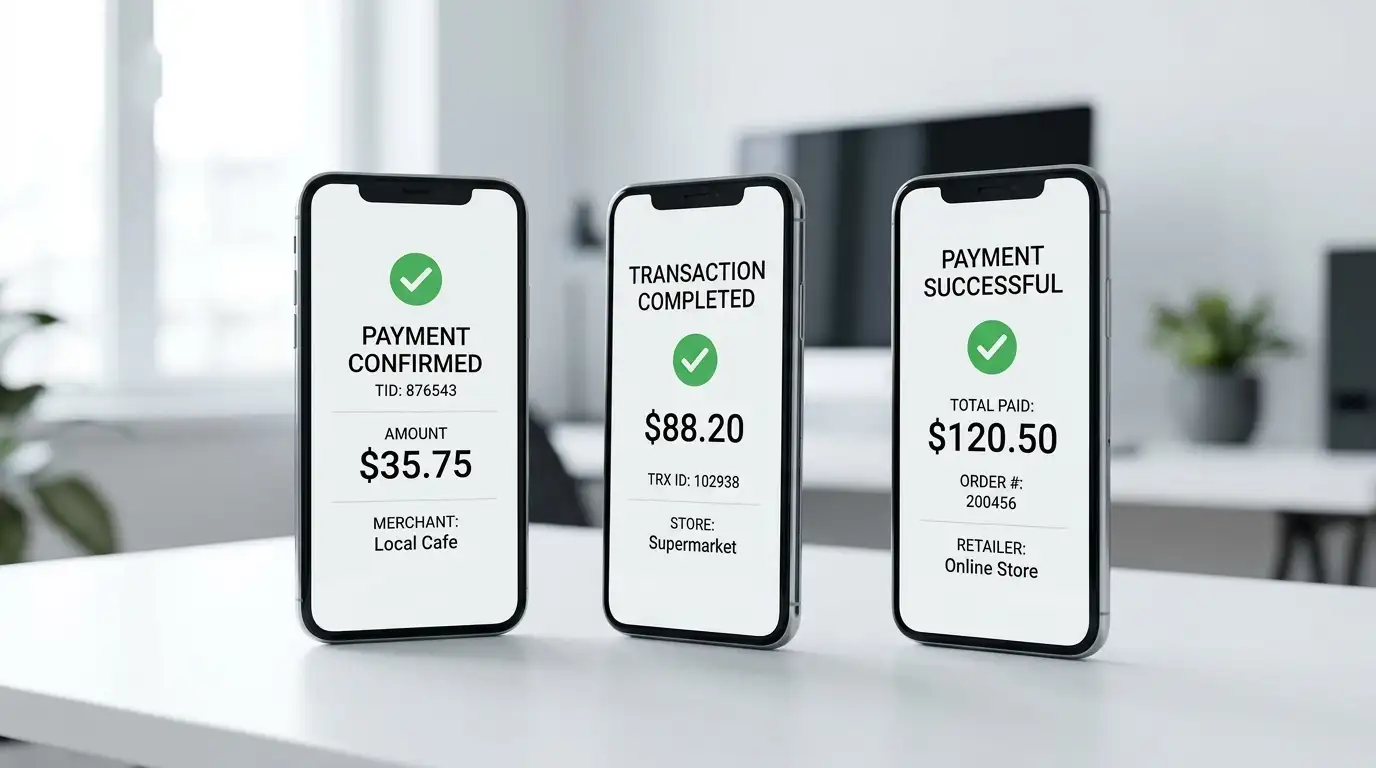
Google Pay is not the only instant-deposit option at UK casinos. PayPal, Apple Pay, and direct debit card entry all clear within seconds. The differentiation lies in withdrawal capability, device constraints, and fee structures. This section compares Google Pay against four common alternatives UK players actually use—not exhaustive coverage of every e-wallet and prepaid voucher, but the methods that hold dominant market share.
| Method | Deposit Speed | Withdrawal Capability | Fees | Best For |
|---|---|---|---|---|
| Google Pay | Instant (5–30 sec) | No, must use alternative | Free | Android users prioritising deposit convenience |
| PayPal | Instant (5–30 sec) | Yes, 0–24 hours | Free at most casinos | Players wanting bidirectional speed |
| Apple Pay | Instant (5–30 sec) | No, must use alternative | Free | iPhone users, mirrors Google Pay limitations |
| Debit Card | Instant (5–30 sec) | Yes, 1–3 days | Free | Universal compatibility, no app required |
| Bank Transfer | Minutes to same day | Yes, 1–3 days | Free | Large deposits, players avoiding intermediaries |
Google Pay vs PayPal
Both process deposits instantly. The split comes at withdrawal. PayPal allows you to cash out casino winnings back into your PayPal balance within 24 hours at most UK operators. Google Pay does not. If withdrawal speed matters, PayPal wins outright.
The setup burden differs slightly. Google Pay requires an Android device or Chrome browser and a tokenisable debit card. PayPal requires a PayPal account, email verification, and a linked bank account or card. Both are one-time setup processes taking under ten minutes. PayPal’s account-based structure adds a layer—you manage a separate login—but also adds utility: you can hold a balance, send peer-to-peer payments, and shop at non-gambling merchants using the same account. Google Pay’s utility is narrower: it is a checkout shortcut, not a financial account.
Fee structures are comparable. Neither charges users for casino deposits. Casinos absorb processing fees on both methods. Some casinos charge withdrawal fees for PayPal (typically £1 to £5), but most waive them for amounts over £10 or £20. Google Pay’s fee profile is irrelevant for withdrawals because withdrawals do not exist. You pay whatever the alternative method charges—bank transfer (free), debit card return (free), Skrill (sometimes £5–£10).
Google Pay vs Apple Pay
The two are functional mirrors. Apple Pay works on iPhones, iPads, and Safari on Mac. Google Pay works on Android and Chrome. Both use tokenisation. Both process deposits instantly. Neither can handle withdrawals. Neither charges user-facing fees. If you own an Android device, Google Pay is your native option. If you own an iPhone, Apple Pay is yours. There is no meaningful advantage of one over the other beyond device ecosystem lock-in.
One operational difference: Apple Pay integrates with Face ID and Touch ID universally across all Apple devices. Google Pay’s biometric support depends on your Android device model—older or budget Android phones may lack fingerprint or face sensors, falling back to PIN entry. In practice, this adds a few seconds to authentication—not a dealbreaker, but noticeable compared to Apple’s hardware uniformity.
Google Pay vs Direct Debit Card
Both deposit methods hit the same underlying account—your debit card. Google Pay tokenises the card and authenticates via biometric or PIN. Direct card entry requires typing the full 16-digit number, expiry, and CVV each time, then completing your bank’s 3D Secure challenge. Google Pay is faster and slightly more secure (the casino never sees your card number). Direct card entry is more universally supported—every casino accepts cards; not all accept Google Pay.
Withdrawals reverse the convenience equation. Direct card deposits can return via Visa Direct or Mastercard Send in 1 to 3 working days. Google Pay deposits technically can too (the casino returns funds to the underlying card), but you must inform the casino which card backed your Google Pay transaction, since they only saw a token. Some casinos handle this automatically; others require you to specify. Direct card deposits leave no ambiguity—the casino returns funds to the PAN you deposited from.
Fee and security profiles are identical for both methods. Your bank applies the same transaction rules whether the charge came via Google Pay token or direct PAN. Fraud protection is equivalent (both are Visa or Mastercard transactions). The choice reduces to convenience: Google Pay is faster for deposits; direct card entry is clearer for withdrawals.
Are there any fees for depositing with Google Pay at online casinos?
Google Pay charges users nothing for casino deposits; the casino absorbs the processing costs. Your bank may add a foreign transaction fee if the casino processes payments overseas, but you would pay the same on a direct card deposit, and most UKGC-licensed operators process GBP payments domestically anyway.
Google Pay Casino Bonuses and Wagering Requirements
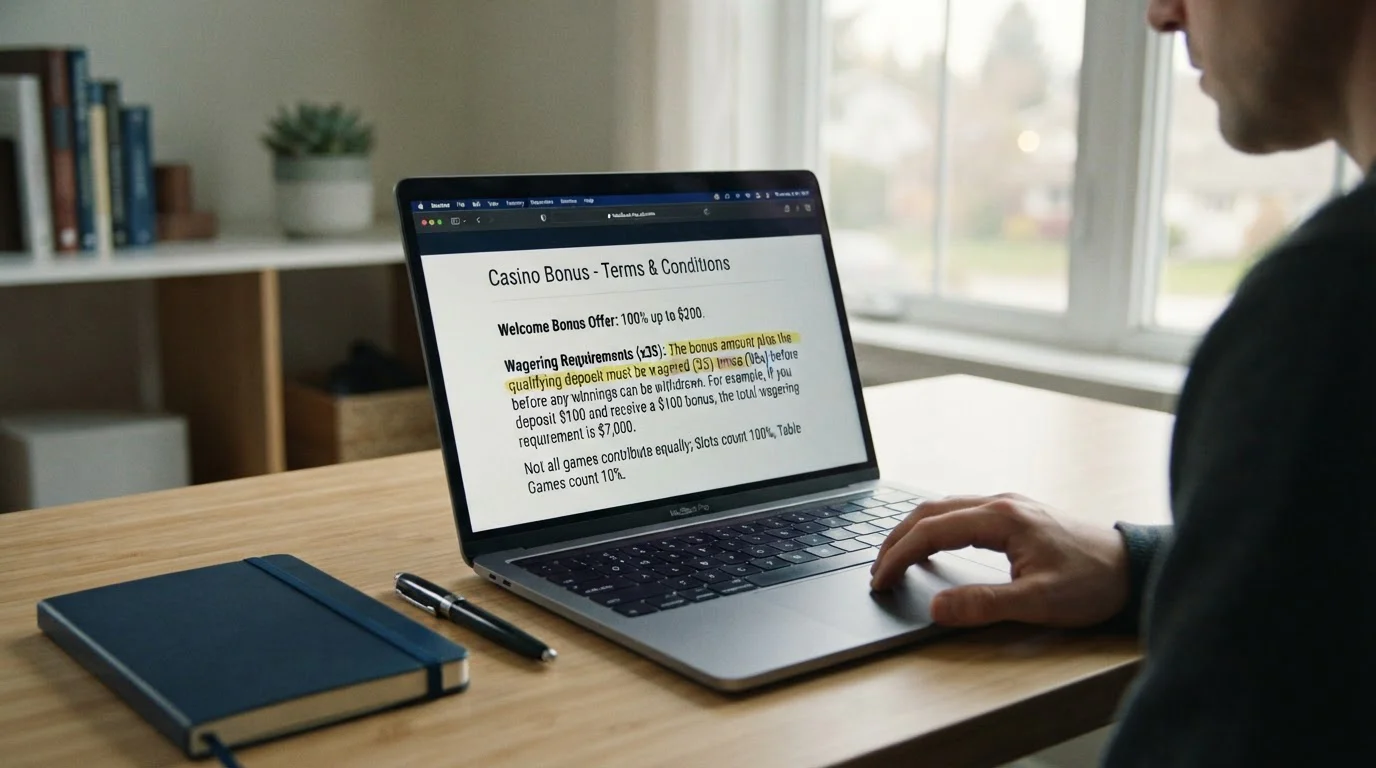
Google Pay deposits qualify for welcome bonuses at most UK casinos. The payment method itself is not excluded. But specific bonus terms may restrict wallet deposits, and some operators apply payment-method filters that lump Google Pay with other e-wallets. The January 2026 UKGC rule capping all bonus wagering at 10x removed the most egregious playthrough requirements—35x to 50x is dead—but it did not eliminate payment-method carve-outs.
Do Google Pay deposits qualify for welcome bonuses?
Yes, at most UKGC-licensed casinos, including bet365, NetBet, Ladbrokes, LeoVegas and PlayUK. The deposit must meet the qualifying minimum, typically £10, and be made within the offer’s time window, often 7 to 30 days after registration. Always check the terms for any e-wallet exclusions first.
Payment-Method Exclusions and Promo Codes
The exception pattern appears in bonus terms that exclude “e-wallet” or “prepaid” deposits. Some operators define Google Pay as an e-wallet for bonus purposes, even though technically it is a tokenised card proxy. This classification is inconsistent across the industry—one operator may treat Google Pay like a card while another groups it with e-wallets. The safest approach is reading the specific casino’s welcome bonus terms before depositing. If the terms list excluded methods and Google Pay is not among them, you are covered. If “e-wallets” is a blanket exclusion and Google Pay is ambiguous, contact support for written clarification.
Promo code entry works the same for Google Pay deposits as for any other method. If the bonus requires a code, you enter it in the cashier before confirming the deposit. The Google Pay authentication interface does not display the promo code field—that lives on the casino’s deposit page, before the redirect to Google Pay. Missing the code entry step means forfeiting the bonus; there is no retroactive application.
Understanding the 10x Wagering Cap
Rules introduced by the UK Gambling Commission on 19 January 2026 cap wagering requirements on all gambling promotions at 10x and ban promotions that mix products, such as a casino bonus tied to a sports bet. If a casino awards a £50 bonus, you must wager £500 (10 × £50) on eligible games before bonus funds convert to withdrawable cash. This is a maximum; operators can set lower requirements (5x, 1x, or zero), but they cannot exceed 10x.
The 10x cap applies to all bonuses: welcome offers, reload bonuses, free spin winnings converted to bonus funds, cashback, and loyalty rewards. Wager-free promotions, where winnings pay as cash with no playthrough at all, sit comfortably beneath the cap. bet365’s 500 spins and NetBet’s zero-wagering welcome bonus fall into this category.
Game contribution percentages still vary. Slots usually contribute 100% of each wager towards the requirement. Live dealer games contribute 10% to 20%. RNG table games like roulette and blackjack contribute 0% to 10%, and some casinos exclude them entirely. A £500 wagering requirement on slots means playing through £500. On live blackjack at 10% contribution, it means wagering £5,000 to satisfy the same £500 requirement. These percentages are casino-specific and sit in the bonus terms, often in a collapsible table midway through the document.
Maximum bet limits during wagering remain in force. On slots, the UKGC’s stake limits of £5 per spin (or £2 for players aged 18 to 24) apply at all times; beyond that, operators set their own maximum bet while bonus funds are active, often £5 per spin or per hand. Exceeding the limit voids the bonus and any winnings derived from it. The limit is automatic—most casino platforms prevent you from placing over-limit bets while a bonus is active—but manual circumvention (switching games, using features) triggers forfeitures.
Expiry periods have also shortened since the 2026 rules arrived. Where 30 to 90 days was once common for bonus clearing, 7 to 14 days is now typical. LeoVegas’ 50 spins expire in three days. PlayUK’s £50 match bonus expires in 14 days. The compressed timelines reflect regulatory pressure to reduce harm from extended playthrough chasing. If you claim a bonus, schedule your play accordingly or decline the offer.
Deposit Limits, Fees and UK Regulations
Minimum deposits at Google Pay casinos range £5 to £10. Maximum per-transaction limits sit between £5,000 and £10,000 at most operators, though higher limits apply to VIP accounts after manual review. These floors and ceilings apply casino-side; your own bank and Google Pay impose their own daily spending caps. The intersection of all three determines your effective limit.
Minimum and Maximum Deposit Limits
bet365 sets the floor at £5, the lowest confirmed minimum among UKGC-licensed Google Pay casinos. NetBet, Ladbrokes, LeoVegas, and PlayUK require £10. Maximum per-transaction limits are not published in most operators’ terms, but £5,000 to £10,000 is the usual ceiling for instant payment methods at UK casinos. Larger deposits require bank transfer or a phone call to the VIP team.
Your card issuer’s spending limits apply. Some UK banks set daily limits on card and digital-wallet spending, and premium accounts often carry higher ones. If your Google Pay deposit fails despite meeting the casino’s minimum, check your bank’s limit via its app or support line. Raising it usually requires a phone call and identity verification.
Google Pay itself does not impose per-transaction or daily limits on gambling. The restrictions originate from your issuing bank’s limits and fraud checks, plus any gambling block you have switched on in your banking app. Casinos see these as generic card declines and cannot bypass them. You must resolve limits at the bank level.
Transaction Fees Explained
Google Pay charges users no fees for deposits at UK casinos. The service monetises through merchant processing fees, not consumer charges. Your issuing bank may apply foreign transaction fees if the casino’s acquiring bank is outside the UK, but this is rare for UKGC-licensed operators—most process GBP domestically to avoid conversion costs and regulatory friction.
Casinos absorb any tokenisation costs. Whatever the card networks and processors charge merchants for tokenised transactions is priced into the casino’s margin; you see no line-item fee.
Withdrawal fees depend on the method you use to retrieve winnings. Bank transfers are free at all major UK casinos. PayPal withdrawals are free at most operators, though a few charge £1 to £5 for amounts under £20. Skrill sometimes carries a £5 to £10 fee. Since Google Pay does not handle withdrawals, its fee structure is irrelevant here—you pay what the alternative method costs.
Currency conversion fees hit you if your bank account operates in a non-GBP currency and the casino processes in GBP. Visa and Mastercard apply a 2% to 3% foreign exchange spread on top of the interbank rate. Google Pay does not add a separate conversion layer; the fee comes from your card network. If you hold a EUR or USD account and deposit at a UK casino, expect a 2–3% haircut on the amount debited from your account.
UKGC Verification Requirements
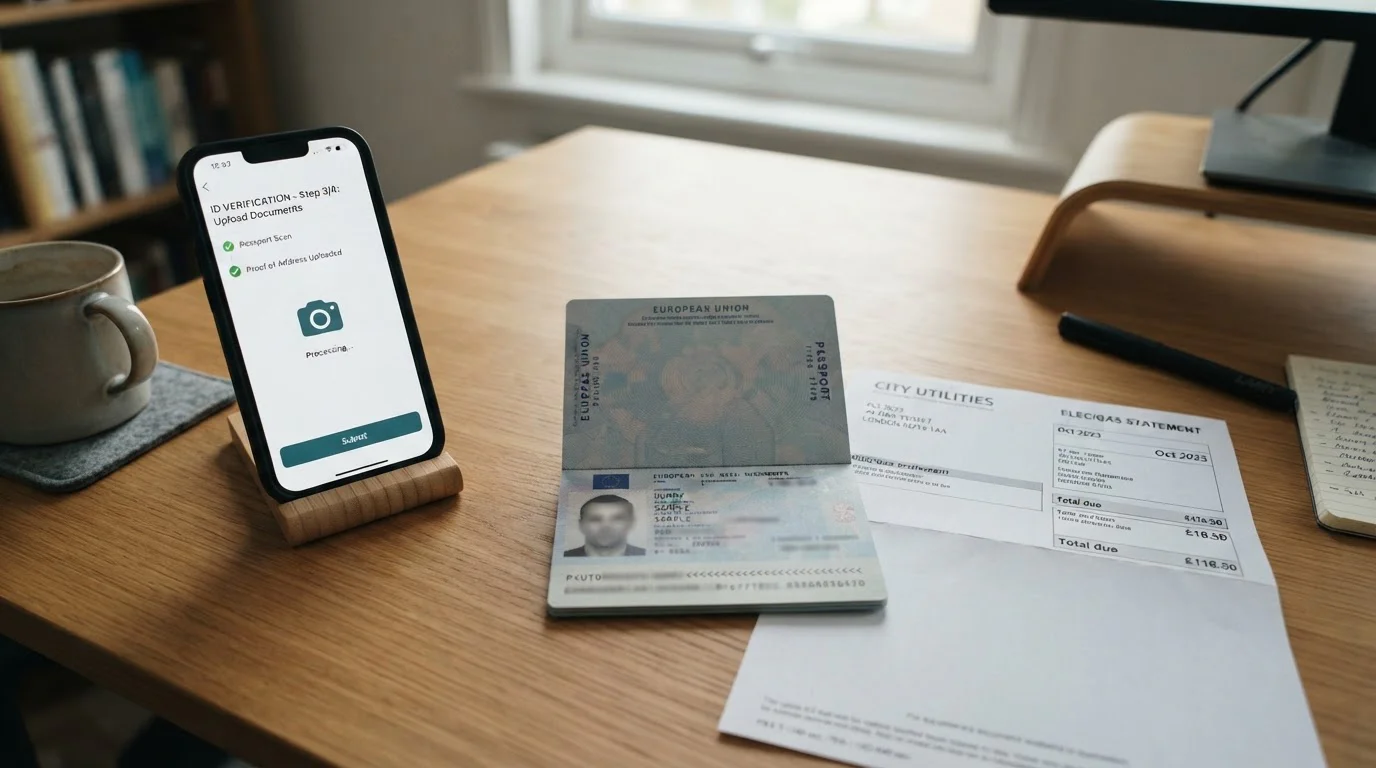
Every UKGC-licensed casino must verify your age and identity before you can deposit or gamble, a rule in force since May 2019. This is a regulatory mandate, not an operator choice. Further checks often follow before a first withdrawal, typically asking for proof of identity (passport, driving licence), proof of address (utility bill, bank statement dated within three months), and proof of payment method (a screenshot or photo of your debit card showing the first six and last four digits).
For Google Pay, proof of payment method means showing the debit card linked to your Google Wallet. The casino cannot see your card number directly—only the token. You provide the documentation. Some operators accept a screenshot of the card within Google Pay’s interface showing the last four digits and your name. Others require a photo of the physical card. Email or live chat support can clarify before you upload.
Verification typically completes in 24 to 72 hours if documents are clear and match your account details. Delays occur when names do not match across documents, addresses differ between ID and utility bill, or image quality is poor. Uploading high-resolution scans (300 DPI or higher) and ensuring your name on the Google Pay card matches your casino registration exactly avoids most delays.
Casinos also apply enhanced due diligence as deposits or withdrawals grow, at levels each operator sets through its own risk assessment, and may request source-of-funds documentation (payslips, bank statements, tax returns) to comply with anti-money-laundering rules. This is not Google Pay-specific; all payment methods face the same scrutiny at high transaction volumes. Operators’ obligations under the Proceeds of Crime Act 2002 apply without exception.
Can I use a credit card with Google Pay at UK casinos?
No. The UK Gambling Commission banned gambling on credit cards from 14 April 2020, and every UKGC-licensed casino must refuse credit card deposits, including credit cards tokenised in Google Pay. The rule binds operators, so casinos and their processors check the card type and decline credit-backed tokens.
How Credit-Backed Tokens Are Blocked
Google Pay itself does not differentiate credit from debit cards in its interface. You can add a credit card to Google Wallet and use it for non-gambling purchases. But when you attempt a casino deposit, the payment data identifies the card type during authorisation. If the FPAN behind the DPAN is a credit account, the casino’s processor rejects the payment. The casino sees a generic failure; you see no funds added to your balance.
Debit cards and prepaid debit cards are permitted; charge cards count as credit under the ban and are refused. If your Google Pay-linked card is a debit or prepaid debit card, deposits proceed normally. The distinction is technical, not visual—your card’s branding may be ambiguous (some Amex cards are charge accounts, others are credit). If in doubt, call your card issuer and ask whether the account is classified as credit or debit at the network level.
Mobile Casino Experience with Google Pay
Google Pay is native to Android. The integration is seamless: biometric unlock, tap-to-authorise, done. Android runs on roughly half of UK smartphones, with iPhones accounting for most of the rest, so UK casinos optimise their mobile sites and apps for both platforms. The friction point is iOS—Google Pay does not work on iPhones or iPads, leaving Apple Pay as the equivalent.
Casino apps downloaded from the Google Play Store support Google Pay deposits directly through the in-app cashier. Browser-based mobile casino sites (accessed via Chrome or another Android browser) trigger Google Pay through the same interface. Both paths authenticate via your device’s biometric sensor or PIN. The experience is identical in-app versus browser; the difference is navigation convenience, not payment flow.
Device compatibility depends on Android version and hardware. Google Wallet requires a recent version of Android, and Google raises the minimum over time, so check the Play Store listing if your phone is several years old. Biometric authentication requires a device with a fingerprint sensor or face-unlock camera. Budget and older Android models lacking these fall back to PIN entry. The few extra seconds spent typing a PIN are the only functional difference—deposits still process instantly once authenticated.
Chrome browser on desktop supports Google Pay for casino deposits on Windows, macOS, and Linux. The flow mirrors mobile: click Google Pay in the cashier, a modal prompts you to select a tokenised card from your synced Google account, authenticate via password or system biometric, done. Desktop deposits clear as fast as mobile. The trade-off is fewer people configure Google Pay on desktop compared to mobile, so awareness is lower.
Can iPhone users use Google Pay at UK online casinos?
Not in the casino app’s native cashier: Google Pay is built for Android and Chrome. Apple Pay is the iPhone equivalent, offering instant tokenised deposits with Face ID or Touch ID and, likewise, no withdrawals. Most UK casinos that accept Google Pay also accept Apple Pay on similar terms.
Game Types Available at Google Pay Casinos
Payment method does not restrict game access at UK casinos. If a casino accepts Google Pay, you can play every title in its library once your deposit clears: slots, live dealer tables, roulette, blackjack, baccarat, game shows, video poker, crash games, instant wins. The only restrictions come from licensing (some providers restrict their games to specific jurisdictions) and bonus terms (some offers limit play to slots or exclude live dealer), not from how you funded your account.
Slots contribute 100% towards wagering requirements at all operators covered here. Live dealer games contribute 10% to 20%. Table games (RNG roulette, blackjack, baccarat) contribute 0% to 10%, and many casinos exclude them entirely. These percentages dictate how fast you clear a bonus, not whether you can play. A player who deposited via Google Pay and claimed the welcome offer can spin any slot or sit at any live table. The contribution rate determines the effective cost of the bonus, not eligibility.
Online slots carry statutory stake limits, introduced in April and May 2025: £5 per spin for players aged 25 and over, £2 per spin for those aged 18 to 24. These caps apply to slots only, during both bonus and real-money play, and neither operators nor players can override them. Google Pay deposits sit under the same limits as card or PayPal deposits—the funding method changes nothing.
Progressive jackpots trigger regardless of payment method. Mega Moolah, Mega Fortune, Divine Fortune, and Hall of Gods all accept wagers from players who funded via Google Pay. The RNG does not check your deposit method before awarding a spin. Publicity around major wins sometimes credits the payment method the winner used, but this is marketing colour, not a functional link.
Troubleshooting Common Google Pay Casino Issues
Declined deposits are the most frequent problem. Failed verifications cause withdrawal delays. Device compatibility issues block access on older Android models. The fixes below address the problems that most often resolve without escalation.
Declined Deposits
Check the card type first. If the card backing your Google Pay is a credit card, UK casinos refuse the transaction under the April 2020 ban. Replace it with a debit card in Google Wallet. Next, verify your billing address in Google Pay matches your bank’s records character-for-character. Mismatches trigger fraud filters that decline even legitimate transactions. Third, confirm your card has sufficient balance and your bank’s daily spending limit accommodates the deposit; if the limit is too low, you usually have to ask your bank to raise it.
If all three check out and the deposit still fails, remove the card from Google Wallet and re-add it. This refreshes the token. Expired or invalidated tokens cause silent declines—the casino receives a generic “authorisation failed” response with no detail. Retokenising fixes this.
Verification Delays
Verification delays stem from name mismatches, address discrepancies, or poor image quality. The name on your Google Pay-linked debit card must match your casino account registration exactly, including middle names and suffixes. If your card reads “J. Smith” but your casino account reads “John Michael Smith,” upload proof that both names refer to you—a bank letter, for example.
Address proof must be dated within three months and list your current residential address. Utility bills, council tax statements, and bank statements qualify. Many operators do not accept mobile phone bills. Ensure the address matches your casino account registration. If you registered with a work address but your utility bill shows your home address, provide both and explain the discrepancy in the upload notes.
Photo quality matters. Blurred edges, glare, or partial crops delay approval. Photograph your documents on a flat surface under even lighting. Avoid shadows across text. Use your phone’s native camera app at highest resolution, or scan at 300 DPI minimum. Most casinos accept JPG, PNG, and PDF; some reject HEIC (iPhone’s default format), so convert if necessary.
Device Compatibility Problems
Google Wallet supports only reasonably recent Android versions, and the minimum rises as Google drops older releases. Upgrading the OS is the only fix. Budget devices that stopped receiving updates years ago may be stuck on an unsupported version; if so, Google Pay will not work. The alternative is direct debit card entry—slower but universally compatible.
Biometric authentication requires hardware. If your device lacks a fingerprint sensor or face-unlock camera, Google Pay falls back to PIN entry. This adds a few seconds per transaction but does not block functionality. Newer budget Android devices (under £200) increasingly include fingerprint sensors; older models (2016–2018) often do not.
Chrome version matters on desktop. Google Pay on Windows, macOS or Linux works best on an up-to-date version of Chrome. Outdated browsers cannot load the payment modal. Updating Chrome to the latest version fixes this. Firefox, Edge, and Safari support Google Pay inconsistently; Chrome is the officially supported desktop browser.
How We Selected These Google Pay Casinos
The seven operators listed above were chosen using four criteria, applied in order. First, an active UKGC remote casino operating licence, which you can confirm on the public register at gamblingcommission.gov.uk. Second, Google Pay listed as a deposit method in the operator’s cashier or official payment documentation. Third, published operational details—minimum deposit, withdrawal speed or bonus terms—that players can check for themselves. Fourth, no unresolved enforcement action on the Gambling Commission’s register.
Operators were left out where Google Pay did not appear in the cashier, where the licence was shown as suspended or inactive, or where the operator published no operational detail at all. Leaving a casino off this list is not a judgement on its legitimacy—many UKGC-licensed casinos operate quietly with full regulatory compliance.
UKGC licensing is a baseline, not a badge of exceptional quality. Every legal UK casino holds a UKGC licence. The distinction lies in operational transparency, withdrawal speeds, game variety and customer service responsiveness. The comparison table surfaces these differences where operators publish them; where an operator does not, the table says so, and you should check the cashier before depositing.
Casino Deposit Methods UK 2026 – Compare Payment Options
Content created by the «Cashier Atlas» team